




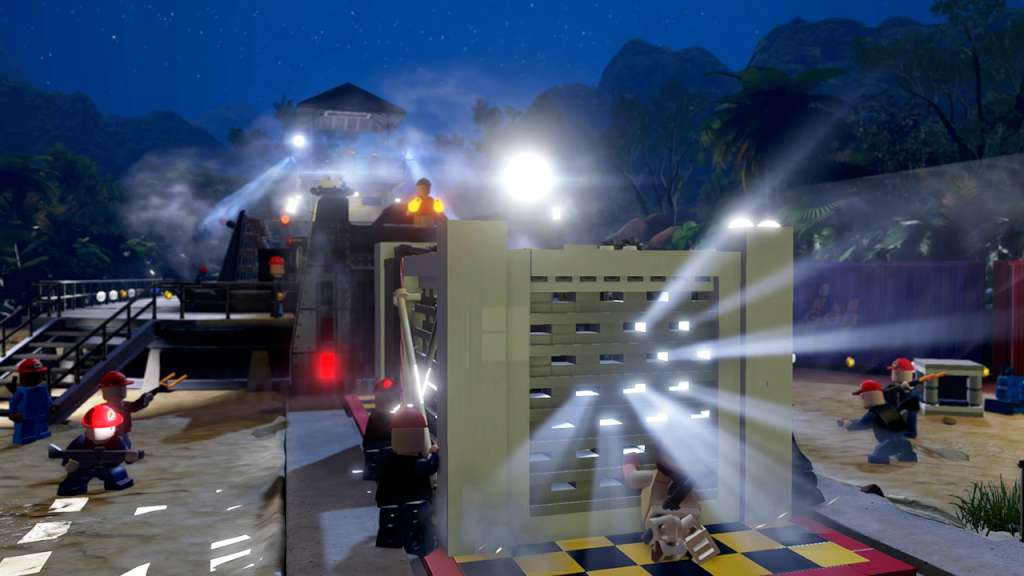


LEGO Jurassic World Steam Account
د.ت 91,950
Rupture de stock
Rupture de stock
- Livraison instantanée (la clé est instantanément envoyée à votre adresse e-mail)
- Paiement sécurisé (Le paiement est sûr et sécurisé)
- Support (Nous sommes là pour vous aider en cas de besoin)
Description
Following the epic storylines of Jurassic Park, The Lost World: Jurassic Park and Jurassic Park III, as well as Jurassic World, LEGO Jurassic World is the first videogame where players will be able to relive and experience all four Jurassic films.
Informations complémentaires
| Developers | TT Games |
|---|---|
| Publishers | Warner Bros. Entertainment Inc., WB Games |
| Genres | Action, Adventure |
| Platform | Steam |
| Languages | English |
| Date de sortie | 2015-06-12 |
| Steam | Oui |
| Classification par âge | PEGI 7 |
| Note métacritique | 72 |
| Limites régionales | 3 |
Windows
OS: Windows®XP SP3, Windows Vista/7/8 with latest service packs and updates installed
Processor: Intel Core 2 Duo or equivalent AMD dual core CPU
Memory: 2 GB RAM
Graphics: NVIDIA GeForce 7600GS or ATI Radeon 1950, 256 Mb RAM
DirectX: Version 10
Network: Broadband Internet connection
Storage: 10 GB available space
Additional Notes: Windows XP and DirectX® 9.0b and below not supported
Mac
OS: 10.9.5
Processor: 1.8 GHz
Memory: 4 GB RAM
Graphics: AMD Radeon 4670, NVIDIA GT120 or Intel HD4000 with 256Mb VRAM or better
Storage: 15 GB available space
Additional Notes: The following graphics cards are not supported: ATI X1xxx series, ATI HD2xxx series, Intel GMA series, Intel HD3000, NVIDIA 7xxx series, NVIDIA 8xxx series, NVIDIA 9xxx and NVIDIA 3xx. This game is not currently supported on volumes formatted as Mac OS Extended (Case Sensitive).
This is the Russian version of the game.Buy this product only if you understand the risk and at your own responsibility!
Russian IP address is required to activate the key on Steam!Use a Russian VPN to do so. (Quick & Easy Instructions here)
If you experience any issues redeeming the key, follow these instructions:
Open your Steam client, and log in to your account,
in the Steam settings, choose Account tab, then Manage Steam Guard Account Security and deauthorize all other devices,
close Steam client, and then start your VPN app,
open Steam client and login to your account. In your account details, update your store country to match your VPN location,
redeem the key in Steam.
Russian IP address is required to activate the key on Steam!Use a Russian VPN to do so. (Quick & Easy Instructions here)
If you experience any issues redeeming the key, follow these instructions:
Open your Steam client, and log in to your account,
in the Steam settings, choose Account tab, then Manage Steam Guard Account Security and deauthorize all other devices,
close Steam client, and then start your VPN app,
open Steam client and login to your account. In your account details, update your store country to match your VPN location,
redeem the key in Steam.
Jeux similaires






Articles récemment consultés

Avis
Il n'y a pas encore d'avis.