

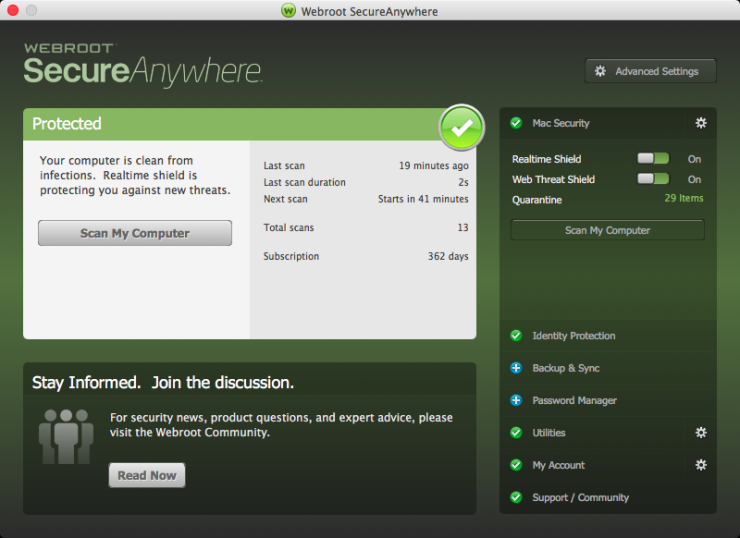
Webroot SecureAnywhere Internet Security Plus 2024 Key (1 Year / 3 Devices)
Webroot SecureAnywhere Internet Security Plus 2024 Key (1 Year / 3 Devices), un produit numérique de qualité.
Livraison instantanée et support client dédié sur TuniGamers !
- Livraison instantanée (la clé est instantanément envoyée à votre adresse e-mail)
- Paiement sécurisé (Le paiement est sûr et sécurisé)
- Support (Nous sommes là pour vous aider en cas de besoin)
Description
Il y a toujours une nouvelle menace pour la cybersécurité. Laissez Webroot Help. Près de la moitié de tous les utilisateurs à domicile dans le monde ont été victimes de cybercriminalité. Chaque lien cliqué, email ouvert, application téléchargée et réseau rejoint est une occasion pour les pirates de compromettre vos données personnelles. Même les menaces établies comme le ransomware sont en constante évolution, et de nouvelles menaces comme le cryptojacking sont ajoutées à un paysage de menaces déjà diversifié. Webroot offre une protection complète contre les virus et le vol d’identité pour tous vos appareils, sans vous ralentir. Caractéristiques En temps réel anti-phishing blocs nuisibles sites Lightning-fast scans sans interruption Webcam protection Sécurité mobile Password and login protection Protection contre le vol d’identité
Webroot SecureAnywhere Internet Security Plus 2024 Key (1 Year / 3 Devices) est un produit de qualité disponible sur TuniGamers.
Profitez d’une livraison rapide et d’un support client exceptionnel pour tous vos besoins numériques.
Pourquoi choisir TuniGamers ?
- Prix imbattables : Des produits numériques aux meilleurs tarifs en Tunisie.
- Livraison instantanée : Recevez vos clés ou produits immédiatement après achat.
- 100% sécurisé : Profitez de produits authentiques pour toutes les plateformes.
- Support client exceptionnel : Une équipe disponible pour répondre à vos besoins.
Informations complémentaires
| Genres | Software |
|---|---|
| Platform | Other |
| Languages | English |
| Limites régionales | 3 |
- OS
- Android 4.4 (KitKat) or later
- OS
- iOS 10 or later
Jeux similaires



Avis
Il n'y a pas encore d'avis.