We use cookies to keep you signed in, remember your cart, and understand how our store is used. By clicking "Accept All" you agree to all cookies. You can also continue with essential cookies only. Learn more
Digital delivery
Orders are processed after payment confirmation and any required checks. Delivery time depends on the offer and supplier processing. Method: Activation key.
Clear offer detailsType, platform, and region shown before purchase.
Secure paymentYour data is protected during checkout.
Software
Activation key
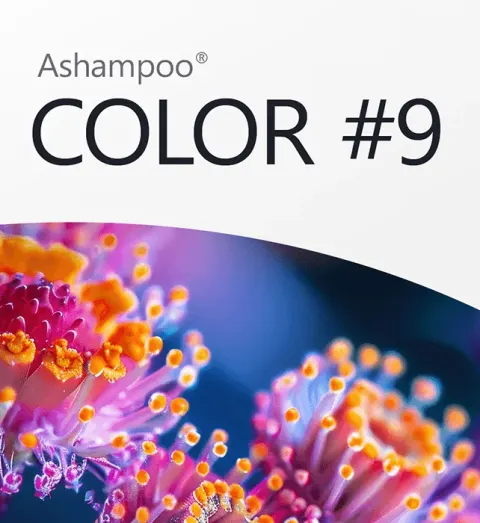
Ashampoo COLOR #9 Key
Check account-region compatibility
Region shown: Region Free. A broad region label does not confirm compatibility with your platform account.
Your price
د.ت 46.110
Available
Platform
Not specified — check the product instructions
Activation service
See the product and order instructions
Edition
Edition not specified
Region
Region Free
Digital software for Other. The activation code is delivered digitally. View the product details on TuniGamers.
Before you order Check before buying
1The platform, device, and edition match your purchase
2Your account region matches the offer region
3The required base game and system requirements are confirmed
Incompatible digital products are not refundable after delivery.
Secure payment
Digital fulfilment
24/7 support
Software details
Activation service
See the product and order instructions
Genre
Software
Developer
Ashampoo
Publisher
Ashampoo
Supported languages
GermanFrenchSpanishEnglish
About this software
Impressive photo looks in just a few clicks Ashampoo COLOR #9 makes your photos stand out: with vibrant colors, exciting looks, new spatial depth, and creative 3D effects. Thanks to AI-powered depth calculation, the program recognizes the spatial structure of your images and enables effects that look more natural, dimensional, and modern. Simply choose a preset, adjust the look as desired, and turn your shots into images with more atmosphere, depth, and character. Ashampoo COLOR #9 expands your photo editing with many creative and practical new features. The new AI-powered depth calculation recognizes the spatial structure of your images and makes impressive spatial depth and 3D effects possible. 28 fresh presets, expanded preset categories for spatial depth, and 24 additional 3D effects deliver fresh looks in just a few clicks. More than 30 accelerated filters make editing noticeably smoother, while the new watermark module, two-stage supersampling, selective drawing with AI masking, focus peaking, sensor defect correction, and support for 1382 RAW formats round out the workflow in a meaningful way. AI-powered depth calculation for greater spatial impact New preset categories “Spatial Depth” and “3D Effects” for modern looks with dimensional impact New “Frames & Gradients” image collections in selective drawing with a total of 40 new backgrounds 28 new presets for fast results in just a few clicks 24 new 3D effects and 15 new general effects in Expert Mode More than 30 accelerated filters for a noticeably smoother workflow New watermark module for adding your own logos or signatures Two-stage supersampling for especially clean output AI masking of foreground and background in selective drawing and Expert Mode Support for 1382 RAW formats The right look in seconds With 221 image templates, including 28 new presets, you can quickly find the right style for your photo. Whether you want vibrant colors, soft lighting moods, photo film emulation, a modern look, or creative distortion: Ashampoo COLOR #9 delivers instantly visible results, completely intuitively and with no learning curve. More than 30 accelerated filters also ensure a noticeably smoother workflow. More depth through AI The new AI-powered depth calculation automatically analyzes foreground, background, and spatial image areas. This makes the new spatial depth and 3D effects especially effective. Your photos gain dimension and look more vivid, without requiring you to create complicated masks. Creative effects for your style With new preset categories for spatial depth and 3D effects, you get fresh options for expressive images. In addition, there are 281 image filters in Expert Mode, 15 new general effects, 24 new 3D effects, plus virtual microdetails and grain for especially characterful looks. This lets you get started quickly and refine your style further whenever needed. Edit specific areas instead of changing everything With selective drawing, AI masking of foreground and background, and new layer blend modes, you edit exactly the image areas that matter. Make subjects stand out more, emphasize details, or combine effects precisely without changing the entire photo. Clean results all the way to export The new supersampling improves image quality and ensures clean edges and high-quality results. With the new watermark module, you can add your own logos or watermarks. Practical tools such as sensor defect correction, focus peaking, comparison view with magnifier, and support for 1382 RAW formats are also included.