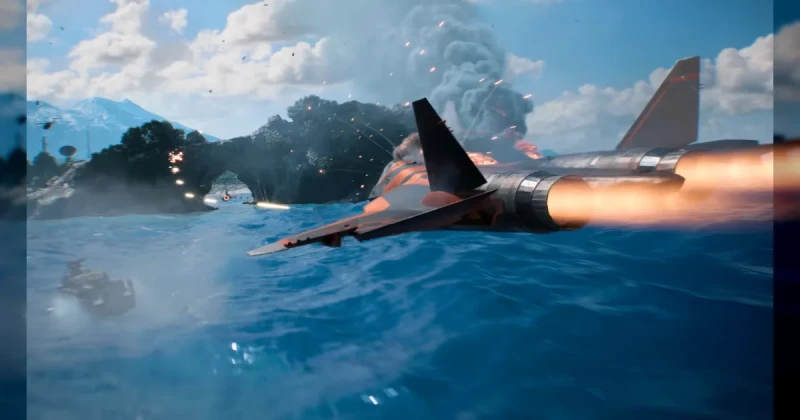
Battlefield 6 Nvidia Crash Fix: What EA Patched in 2026
Battlefield 6 players on some Nvidia GPUs were hitting sudden crashes while swapping weapon attachments or loading maps with large bodies of water, and EA has now fixed the issue. The problem appears to have been tied to a recent Nvidia driver update, making it a classic example of a game patch and a GPU driver change colliding in the worst possible way.
For players, this was more than a minor nuisance. Battlefield matches are built around rapid loadouts, vehicle transitions, and big scripted set pieces, so a crash during a weapon tweak or a map transition can waste progress and break squad momentum. The good news is that this is no longer being treated as a mystery instability issue in the game itself.
Battlefield 6 is developed by DICE and published by Electronic Arts, and it sits in the long-running military first-person shooter space alongside games like Call of Duty, Battlefield 2042, and Squad. Like other modern shooters running on Frostbite, it leans heavily on complex rendering, streaming, and real-time effects, which makes driver compatibility especially important.
The takeaway is simple: if you were seeing crashes on an affected Nvidia card, the issue was not necessarily your hardware dying or your save being corrupted. In many cases, it was an interaction between the game, the driver stack, and a specific rendering path used during attachment changes or water-heavy scenes.
Battlefield 6 Crash Symptoms on Nvidia GPUs and Why They Happened
The affected behavior was unusually specific. Some players reported that Battlefield 6 would crash when opening the attachment menu, changing optics or barrels, or entering maps with large bodies of water. That pattern strongly suggests a problem in how the game handled certain asset swaps or visual effects rather than a broad performance collapse.
EA’s fix matters because it separates a game-side bug from a driver-side regression. In practical terms, that means the crash likely surfaced only after a recent Nvidia driver update changed how some GeForce cards processed a particular workload. That is why a patch can solve the issue even if your system was stable before the update.
- Common trigger #1: Changing attachments in the loadout menu
- Common trigger #2: Entering maps with large water surfaces or shoreline effects
- Common trigger #3: Driver-game interaction after a recent Nvidia update
- Most likely symptom: Sudden desktop crash or game shutdown without warning
This kind of issue is easy to confuse with shader compilation problems, bad overclocks, or general GPU instability. But the pattern here is narrower than a typical shader stutter fix issue, and it highlights why Nvidia shader compilation changes and game patches can affect different parts of the same rendering pipeline.
How to Reduce Battlefield 6 Crashes on PC While Waiting for Updates
If you are still seeing instability, there are a few sensible steps that can help narrow down whether the problem is fully resolved on your system. These are not magic fixes, but they are the most reliable ways to reduce stuttering PC issues and rule out the most common sources of crashes.
- Update Battlefield 6 first. Make sure the latest EA patch is installed before changing anything else.
- Check your Nvidia driver version. If the crash began right after a driver update, note the version and compare it with the latest hotfix notes.
- Reset GPU overclocks. Return your graphics card to stock clocks, including memory tuning and undervolt profiles.
- Clear shader cache. A damaged or stale shader cache can mimic driver instability after major updates.
- Verify game files. On your launcher, repair the installation to catch missing or corrupted data.
- Test attachment menus and the affected maps. Reproduce the original crash scenario to confirm whether the patch worked.
These steps are useful even when the root cause is fixed, because gaming PCs often stack multiple small risks at once. A borderline overclock, outdated motherboard BIOS, and a fresh driver can produce instability that looks identical to a game bug. If Battlefield 6 is crashing in only one menu or on one map, that is a strong sign you are dealing with a specific compatibility issue rather than a full system failure.
For players who want to keep their setup clean while troubleshooting, it is also worth making sure Windows updates, chipset drivers, and GPU control panel settings are current. That may not be as flashy as a new graphics preset, but it often matters more than raw hardware power.
Battlefield 6 Water Maps, Frostbite, and Nvidia Driver Compatibility
The mention of “maps with large bodies of water” is a clue worth paying attention to. Water rendering often stresses reflections, transparency, lighting, and post-processing at once, which can expose problems that never appear in a simple indoor scene. In a Frostbite-powered shooter like Battlefield 6, that kind of rendering load is exactly where driver regressions can show up.
This is also why the issue was niche instead of universal. Most players were probably fine, while a smaller group using a particular Nvidia driver branch and a compatible set of settings saw repeatable crashes. That is common in large live-service shooters, where engine complexity, day-one patches, and GPU drivers all evolve at different speeds.
If you have played Battlefield 2042, Call of Duty: Modern Warfare III, or even a technically demanding game like Cyberpunk 2077, you already know the pattern: the most expensive hardware does not always protect you from compatibility bugs. Sometimes the fix is not a bigger GPU, but a cleaner software stack.
For that reason, this EA patch should be seen as part of a broader stability story, not just a single crash note. It is also a reminder that when a crash is tied to a menu action or a certain environmental type, the engine path itself is often more important than the raw frame rate.
Battlefield 6 Players: When to Update, Reinstall, or Roll Back Nvidia Drivers
If your Battlefield 6 crashes stopped after the EA fix, you are done. If they did not, the next decision is whether to update, reinstall, or roll back your Nvidia driver. The best option depends on timing: if your issue began immediately after a new driver, a rollback is often the fastest test; if the driver is old, a clean update is usually smarter.
Do not rush into reinstalling the whole game unless you have already checked the basics. In most cases, a driver regression, shader cache issue, or corrupted local setting is more likely than a broken installation. A full reinstall is the last resort, not the first move.
- Update if your driver predates EA’s fix or you are missing a known hotfix
- Roll back if the crash started exactly after a new Nvidia release
- Reinstall if you suspect a broken driver install or corrupted cache
- Reset settings if overclocking, undervolting, or custom fan tuning is involved
If you are still building out your Battlefield library, TuniGamers is a convenient place to grab digital keys for shooters and other PC games with instant delivery. That can be useful if you want to compare Battlefield 6 against other competitive FPS options without waiting on physical stock. It is also a smart way to keep your library ready for future patches and seasonal updates.
Frequently Asked Questions
Why was Battlefield 6 crashing on some Nvidia GPUs?
The crash appears to have been linked to a recent Nvidia driver update interacting badly with specific Battlefield 6 rendering paths. Players mostly noticed it when changing attachments or loading maps with large bodies of water, which suggests a narrow compatibility issue rather than a general hardware failure.
Is Battlefield 6 fixed now if I use an Nvidia graphics card?
EA has patched the issue, so many affected players should now be able to play normally. If crashes continue, the remaining cause is more likely to be a driver problem, an overclock, or a corrupted shader cache rather than the original game bug.
Should I roll back my Nvidia driver for Battlefield 6?
Only if the crashes started immediately after a driver update and the EA patch did not resolve them. A rollback can be a useful test, but most players should try the newest game update first, then decide whether a driver change is necessary.
Does this Battlefield 6 issue affect AMD GPUs too?
The reported crash was tied to some Nvidia GPUs, not broadly to AMD hardware. That does not mean AMD players can never see crashes, but this specific bug was associated with a GeForce driver interaction and not a universal Battlefield 6 problem.
How do I reduce stuttering and crashes in Battlefield 6 on PC?
Keep the game updated, use a stable GPU driver, clear shader cache, and avoid aggressive overclocks while testing. These steps help with shader stutter fix searches, Nvidia shader compilation hiccups, and general reduce stuttering PC troubleshooting across modern shooters.
Updated 06 Aug 2026
Sources
Related Posts

BlizzCon 2026 Opening Ceremony: Everything Announced and What It Means
BlizzCon 2026 opening ceremony coverage is packed with World of Warcraft, Diablo, and rumored StarCraft news. Here’s everything announced, plus what it means for players.

Halo’s 2027 cover reveal was for the novel Fireteam Noble
Halo: Fireteam Noble is a Troy Denning novel announced for early 2027. Its cover reveal did not announce the next multiplayer Halo game.

BlizzCon 2026 Opening Ceremony Guide: Biggest Blizzard Announcements
BlizzCon 2026 Opening Ceremony is Blizzard Entertainment’s biggest stage for Diablo, Overwatch, StarCraft, and Warcraft news. Here’s what to expect, why it matters, and how to follow every major announcement.

Diablo 5 in 2029: Everything You Need to Know About Blizzard’s Next Epic
Diablo 5 is officially coming in spring 2029, and Blizzard has also confirmed a Netflix show is in development. Here’s what the announcement means for fans, platforms, and the future of the series.

BlizzCon 2026 Live Blog Guide: Warcraft, Diablo & StarCraft Rumors
BlizzCon 2026 is set to reveal major Warcraft and Diablo news, with StarCraft rumors stealing the spotlight. Here’s the live blog breakdown, what’s confirmed, and what fans should expect.