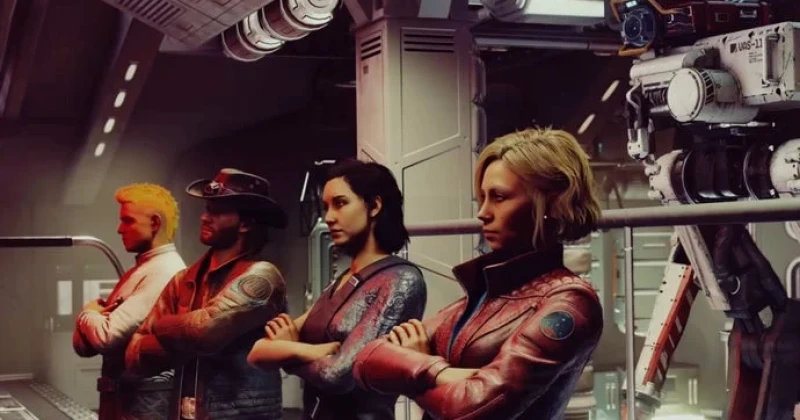
Starfield Custom Animation Mods in 2026: How Seamless Animations Finally Work: confirmed details
Starfield custom animation mods are finally becoming seamless in 2026, thanks to new breakthroughs from the modding community just ahead of Bethesda’s Terran Armada DLC and the Free Lanes update. In plain terms, modders can now build and play custom animations in Starfield without the awkward hard cuts, broken transitions, or janky pose snaps that used to give away every custom behavior change.
This matters because Starfield, the open-world action RPG developed by Bethesda Game Studios and published by Xbox Game Studios, has always been a game where mod support can dramatically reshape the experience. Built on the Creation Engine 2, it already has the foundation for deep systems modding, but animation work has been a stubborn bottleneck. Now that barrier is starting to fall.
For players, that means future mods can look far more natural in conversations, combat, idle behavior, and companion interactions. For creators, it opens the door to a much wider class of total-conversion style projects, cinematic overhauls, and gameplay tweaks that feel closer to a polished expansion than a simple script swap.
Why Seamless Animation Matters for Starfield Mods
Seamless custom animation mods let a modded animation blend into the game’s existing state machine instead of replacing an action with a visible jump. That means a character can transition from standing to interacting, drawing a weapon, or performing a custom emote without the “pop” that breaks immersion. In short: it makes modded behavior look like it was shipped by Bethesda.
If you’ve ever used older animation mods in Bethesda RPGs, you already know the usual pain points: movement resets, clipped limbs, timing desync, and objects that don’t line up with the actor’s hands. In a game like Starfield, where first-person and third-person play styles both matter, those rough edges become even more obvious. This is why the new method is such a big deal for the modding scene.
What changed under the hood?
The key advance is that modders are now finding ways to hook more cleanly into Starfield’s animation flow rather than brute-forcing replacements. That gives creators more control over transition timing, pose blending, and event triggers. The result is not just prettier animation, but more reliable behavior across different load orders and scripted systems.
- Better blend transitions between idle, walk, combat, and interaction states
- Less animation snapping during dialogue or scripted scenes
- More stable custom behaviors for weapons, emotes, and NPC reactions
- Higher compatibility potential with other gameplay mods
How to Use Starfield Custom Animation Mods in 2026
If you want to try the new wave of Starfield animation modding, the process is still a modding workflow, not a simple in-game toggle. You’ll need the PC version of Starfield, a clean mod setup, and the usual Bethesda modding basics: a mod manager, careful load-order management, and patience for version-dependent tool updates.
- Update Starfield to the latest patch that matches your modding tools and script extensions.
- Install a mod manager such as Mod Organizer 2 or Vortex, depending on your preferred workflow.
- Check required frameworks for each animation mod, including script extenders or animation libraries.
- Read the author’s install notes carefully, especially if the mod adds custom idle, combat, or interaction animations.
- Test in a clean save before loading a long playthrough, since animation mods can expose conflicts in older saves.
- Verify compatibility with other animation, NPC overhaul, and combat mods before stacking multiple behavior edits.
Because Starfield is still receiving official updates, mod authors often target specific game builds. That means the exact setup may change after a Bethesda patch. If you’re the kind of player who likes experimenting, keep a backup profile so you can roll back fast when a mod introduces a conflict.
Best practices for avoiding broken animations
Animation-heavy mod lists are sensitive to overwrite order. Place the most specific custom animation mod last unless the author says otherwise, and never assume two mods that “only” alter poses can coexist. Even small changes to actor behavior files can conflict and cause invisible arms, frozen stances, or looped motion.
It also helps to keep your testing simple. Launch with one animation mod at a time, check a fresh save, and confirm that transitions work in both interior and exterior cells. That approach is boring, but it saves hours compared with debugging a full 200-mod setup after the fact.
What This Means for Gamers and Modders
For players, the real benefit is immersion. Starfield has often been compared to Skyrim and Fallout 4 for its Bethesda DNA, but its science-fiction setting asks even more from animation polish. Spacesuits, weapon handling, ship interiors, outpost routines, and companion behavior all need believable motion to feel premium. Seamless mod animations push the game closer to that standard.
For modders, this is the kind of breakthrough that unlocks bigger ideas. Think custom faction packs, enhanced dialogue scenes, pilot and boarding animations, or even sci-fi action overhaul mods that feel closer in ambition to Cyberpunk 2077 style presentation than older Bethesda sandbox edits. It also makes Starfield more attractive as a long-term platform, not just a one-and-done RPG.
There’s also a bigger strategic angle: Bethesda’s own updates tend to bring players back, which expands the audience for mods. With the Terran Armada DLC and the Free Lanes update arriving around the same period, more players are likely to reinstall, test new systems, and browse the mod scene. That visibility can turn a technical breakthrough into a mainstream modding moment.
Should you wait for official support?
If you only want a stable, plug-and-play experience, it may be wise to wait until the best-known mod authors publish compatibility notes for the current patch. But if you enjoy Bethesda RPG modding and don’t mind troubleshooting, now is exactly when innovation tends to happen. The first wave of animation mods may be rough, but it will define what comes next.
Troubleshooting Common Issues
Why are my custom animations not showing up?
The most common cause is a missing dependency or a load-order conflict. Check that every required framework is installed, then verify whether another animation or behavior mod is overwriting the same files. If the mod author lists a plugin order, follow that order exactly.
Why do animations snap or freeze halfway through?
This usually happens when the custom animation doesn’t fully match the game’s state system. Try disabling other mods that alter movement, combat, or idle behavior, then test again on a clean save. If the issue only appears after a patch, the mod may need an update for the latest Starfield build.
Can console players use these mods?
In most cases, advanced custom animation mods are a PC-first feature because they depend on file access, external tools, or scripting support beyond normal console mod ecosystems. Xbox players may eventually get simplified versions through official channels, but the most seamless breakthroughs are happening on PC first.
Where to Get Starfield and Prepare Your Mod Setup
If you haven’t picked up Starfield yet, it’s worth getting the PC version if you’re interested in modding, because that’s where the most advanced animation work is happening. You can grab a digital key on TuniGamers for quick access, then build your mod setup around the latest community tools and patch notes.
For players who already own the game, the best move is to keep a dedicated modding profile and monitor both Bethesda updates and trusted mod authors. That way you can enjoy the official content, like the upcoming Terran Armada DLC, while still making room for the community’s animation breakthroughs. If you’re hunting for a clean start, check TuniGamers for the best digital deals before diving in.
Frequently Asked Questions
What are seamless Starfield custom animation mods?
They are mods that let custom animations blend naturally into Starfield’s movement and gameplay states instead of replacing them with visible jumps or snaps. The goal is smoother transitions, better immersion, and fewer broken behavior loops.
Do I need a new save to test animation mods?
A new save is strongly recommended for initial testing because old saves can hide conflicts or carry over broken behavior states. If the mod works on a clean save, you can then try it on your main file with more confidence.
Are Starfield animation mods safe after official updates?
Usually not immediately. Bethesda patches can change underlying behavior files or scripting expectations, so mod authors often need time to rebuild compatibility. Always check the mod page and community reports after each update.
Will these mods improve performance or reduce stutter?
Animation mods are mainly about visual behavior and immersion, not raw frame-rate gains. However, well-made mods can avoid extra script overhead and reduce animation-related hiccups, while poorly optimized ones may add instability.
Is Starfield still worth modding in 2026?
Yes, especially if you enjoy Bethesda RPGs and want a game that can be reshaped over time like Skyrim or Fallout 4. With new DLC, official updates, and a growing mod scene, 2026 is one of the best times to get involved.
Updated 18 Sep 2026
Related Posts

BlizzCon 2026 Opening Ceremony: Everything Announced and What It Means
BlizzCon 2026 opening ceremony coverage is packed with World of Warcraft, Diablo, and rumored StarCraft news. Here’s everything announced, plus what it means for players.

Halo 2027 Return Revealed: What Fans Need to Know Now
The Halo 2027 return is finally generating real momentum, and fans want answers about the next mainline multiplayer game. Here’s what the announcement means, what remains unconfirmed, and why it matters for Master Chief and Xbox players.

BlizzCon 2026 Opening Ceremony Guide: Biggest Blizzard Announcements
BlizzCon 2026 Opening Ceremony is Blizzard Entertainment’s biggest stage for Diablo, Overwatch, StarCraft, and Warcraft news. Here’s what to expect, why it matters, and how to follow every major announcement.

Diablo 5 in 2029: Everything You Need to Know About Blizzard’s Next Epic
Diablo 5 is officially coming in spring 2029, and Blizzard has also confirmed a Netflix show is in development. Here’s what the announcement means for fans, platforms, and the future of the series.

BlizzCon 2026 Live Blog Guide: Warcraft, Diablo & StarCraft Rumors
BlizzCon 2026 is set to reveal major Warcraft and Diablo news, with StarCraft rumors stealing the spotlight. Here’s the live blog breakdown, what’s confirmed, and what fans should expect.