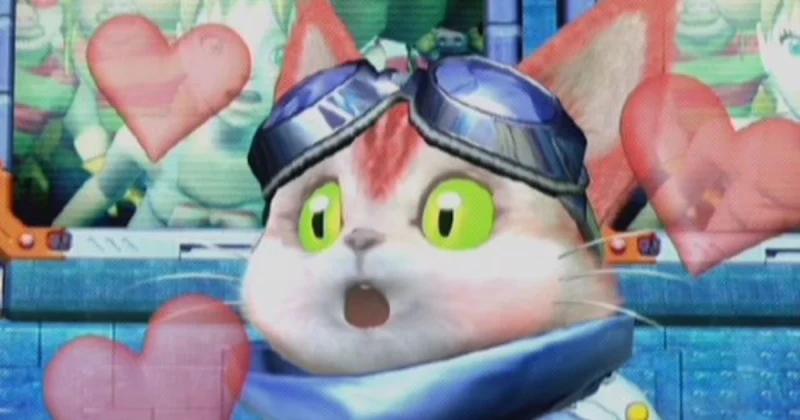
Microsoft Brings Original Xbox Games to PC in 2026: Full Guide: confirmed details
Xbox Backward Compatibility on PC is now live in 2026, and it marks the first time Microsoft has officially brought original Xbox exclusives to PC through its own ecosystem. The rollout starts with four classic games, giving PC players a legal, supported way to access early Xbox titles that were previously trapped on console hardware.
In practical terms, this is a big deal for preservation, convenience, and access. It is not just a nostalgic throwback; it is Microsoft expanding the reach of its first-party history across Windows, where millions of players already buy, install, and manage games every day.
Xbox Backward Compatibility on PC is a new Microsoft-supported program that lets select original Xbox games run on Windows PCs for the first time through an official compatibility layer. In 2026, it begins with four classic titles, making them easier to buy, install, and play without hunting for old hardware or unofficial emulation.
The important part for gamers is that this is not a fan-made workaround. It is a platform-level initiative tied to Microsoft’s broader PC and Xbox strategy, which means better storefront integration, potential updates, and a clearer path for more original Xbox games to follow if the first wave performs well.
Key Details: What Xbox Backward Compatibility on PC Includes
The most important thing to understand is that this is a platform feature, not a single game port. Microsoft is effectively opening a lane for selected original Xbox exclusives to appear on PC through the company’s official services. That matters because it can preserve the original experience while removing the biggest barrier: access to legacy console software.
The launch lineup reportedly begins with four “classic games,” and that wording tells us something useful. Microsoft is starting conservatively, likely choosing titles with strong compatibility, recognizable brand value, and manageable licensing complexity. If the rollout works, this could become a slow-burn archive of the Xbox’s early identity.
Here is why that matters compared with traditional remasters:
- Preservation: Players can access original Xbox software on modern Windows systems.
- Convenience: No need to source old discs, adapters, or aging consoles.
- Official support: A Microsoft-backed solution is more stable than unofficial emulation.
- Storefront integration: Expect compatibility with Microsoft’s PC ecosystem and likely smoother library management.
Because Microsoft has not turned this into a full remaster program, the likely model is closer to compatibility access than a ground-up remake. That means the games should retain their original identities as action, adventure, or third-person shooter titles rather than being rebuilt from scratch in Unreal Engine 5.
For entity context, this initiative sits at the intersection of Microsoft, Xbox Game Studios, and the Windows PC gaming market. It also echoes the same preservation logic that helped older titles like Halo: The Master Chief Collection, Fable, and Gears of War find new life on PC, even if those are much newer or differently handled releases.
What This Means for Gamers
This move is bigger than nostalgia. It signals that Microsoft sees its library as a long-term ecosystem asset, not a hardware prison. For PC players, that could eventually mean more access to early Xbox-era classics that shaped the platform’s identity but never properly crossed over to Windows.
It also changes the value conversation around game preservation. Emulation communities have kept original Xbox history alive for years, but official access matters because it reduces friction for mainstream players. If Microsoft keeps expanding support, the company could become one of the most important publishers in preserving console heritage on modern PCs.
From a gamer’s perspective, the best-case scenario is obvious: more ways to revisit cult favorites without dealing with old disc drives, abandoned compatibility patches, or unofficial setup tools. The worst-case scenario is also worth stating: a limited rollout that never grows past a few test titles. That is why the first wave is so important.
Compared with services like Steam library re-releases or full remasters such as Dead Space and Resident Evil 4, this approach is more about access than transformation. That makes it ideal for players who care about authenticity, but less exciting for anyone hoping for visual overhauls or modern control reworks.
If you mainly want the original experience, this is a win. If you want a full remake, you may still prefer a modern re-release. If you are building a digital collection, though, this is the kind of platform expansion that makes TuniGamers attractive for buyers who like fast access to PC game keys and a clean, no-fuss setup.
How to Get Ready for the First PC Xbox Classics
Since Microsoft has launched this as an official PC compatibility feature, the setup should be relatively simple once the titles are live in your region. Still, a little preparation can save time, especially if you want to avoid launch-day confusion or account issues.
- Update Windows to the latest supported build and apply all optional gaming-related patches.
- Sign in with your Microsoft account on the PC where you plan to play.
- Check the Xbox app or Microsoft store listings for the initial supported titles once they appear.
- Verify storage space before downloading, especially if multiple classic games are offered together.
- Use a controller if the original game was built around analog input or console-style menus.
If you are buying other digital games at the same time, TuniGamers is a smart place to compare PC key prices and keep your library organized. That is especially useful if you want to stack a modern release alongside a classic Xbox title when the first wave lands.
Keyword variations to keep in mind
- original Xbox games on PC
- Xbox backward compatibility PC
- play classic Xbox games on Windows
- Microsoft Xbox PC release
What to Expect: Before vs After
Before this announcement, the only realistic ways to play original Xbox exclusives on a PC were unofficial emulation, hardware capture setups, or waiting for a separate remaster. That worked for enthusiasts, but it was fragmented, inconsistent, and often intimidating for the average player.
After this rollout, the experience should be far more straightforward. The biggest improvement is not just technical; it is cultural. A supported release gives these games legitimacy on PC, which can widen their audience far beyond the niche that normally follows retro console preservation.
That said, players should keep expectations grounded. This is not the same as a remake like Resident Evil 2 or a full native port with modern assets. The value here is access, continuity, and convenience. If Microsoft expands the initiative, the long-term prize could be a broader back-catalog strategy that rivals what Halo did for PC players in the previous generation.
Troubleshooting Common Issues
The game does not appear in my library
That usually means the rollout has not reached your region or account yet. Make sure you are signed in with the correct Microsoft account, refresh the Xbox app, and check whether the title is part of the initial 2026 compatibility batch.
The game launches but the controls feel wrong
Many original Xbox games were designed for a controller-first layout, so keyboard and mouse support may be limited or imperfect. Connect an Xbox controller first, then adjust in-game bindings if the title allows it.
The game stutters or performs inconsistently
Because this is a compatibility layer rather than a full remake, some titles may behave differently on various PC configurations. Update GPU drivers, close background apps, and verify that Windows gaming features are enabled before assuming the issue is with the game itself.
I already own the original Xbox disc. Can I use it on PC?
In most official digital ecosystems, disc ownership does not automatically transfer to PC licensing. Expect Microsoft to require a compatible digital version or a supported entitlement rather than physical-media authentication.
Frequently Asked Questions
What is Xbox Backward Compatibility on PC?
Xbox Backward Compatibility on PC is Microsoft’s official program for making select original Xbox games playable on Windows PCs. In 2026, it begins with four classic titles and is designed to bring legacy console games into the modern PC ecosystem.
Which original Xbox games are available first?
Microsoft says the rollout starts with four “classic games,” though the company is being selective about the initial lineup. That usually means well-known titles with strong compatibility potential and enough audience interest to justify the launch.
Do I need an Xbox console to play them on PC?
No, that is the entire point of the initiative. The games are meant to run on PC through Microsoft’s supported compatibility path, so players should be able to access them directly on Windows without owning a separate Xbox console.
Is this the same as a remake or remaster?
No. This is primarily about official access and compatibility, not a visual or gameplay rebuild. If Microsoft later produces remasters, those would be separate products with updated graphics, assets, and sometimes modernized controls.
Where can I buy PC games while waiting for these releases?
You can check TuniGamers for digital PC game keys if you want instant access to other titles while waiting for Microsoft’s original Xbox lineup to expand. It is also useful for comparing prices before a launch window gets crowded.
Updated 18 Sep 2026
Related Posts

BlizzCon 2026 Opening Ceremony: Everything Announced and What It Means
BlizzCon 2026 opening ceremony coverage is packed with World of Warcraft, Diablo, and rumored StarCraft news. Here’s everything announced, plus what it means for players.

Halo 2027 Return Revealed: What Fans Need to Know Now
The Halo 2027 return is finally generating real momentum, and fans want answers about the next mainline multiplayer game. Here’s what the announcement means, what remains unconfirmed, and why it matters for Master Chief and Xbox players.

BlizzCon 2026 Opening Ceremony Guide: Biggest Blizzard Announcements
BlizzCon 2026 Opening Ceremony is Blizzard Entertainment’s biggest stage for Diablo, Overwatch, StarCraft, and Warcraft news. Here’s what to expect, why it matters, and how to follow every major announcement.

Diablo 5 in 2029: Everything You Need to Know About Blizzard’s Next Epic
Diablo 5 is officially coming in spring 2029, and Blizzard has also confirmed a Netflix show is in development. Here’s what the announcement means for fans, platforms, and the future of the series.

BlizzCon 2026 Live Blog Guide: Warcraft, Diablo & StarCraft Rumors
BlizzCon 2026 is set to reveal major Warcraft and Diablo news, with StarCraft rumors stealing the spotlight. Here’s the live blog breakdown, what’s confirmed, and what fans should expect.