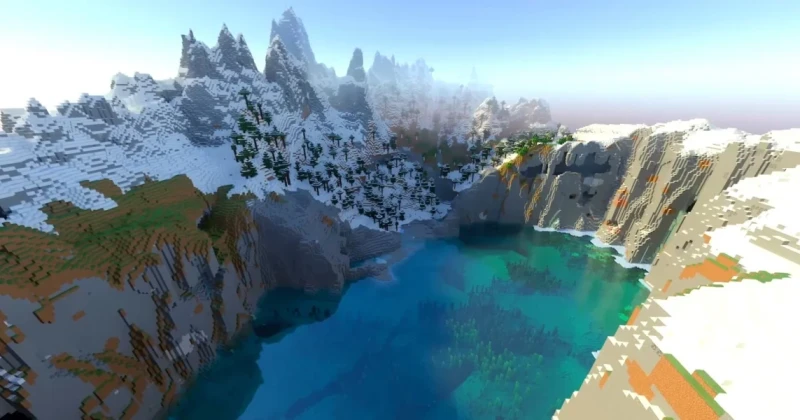
A useful seed needs more than an attractive screenshot
A Minecraft seed identifies a world-generation starting point. To reproduce somebody else’s result, collect the exact seed, edition, version and relevant world settings together. This page is a testing checklist, not a list of twelve verified seed codes. Its earlier title promised codes that the article did not supply.
A practical world-selection workflow
- Decide what would make the world useful to you: building space, a challenging island or convenient early resources. Pick one main goal instead of chasing every attractive feature.
- Save the candidate’s original seed exactly, including a minus sign where present. Keep its edition, version and coordinates beside it rather than copying the number alone.
- Create a separate test world with matching settings. Explore it before investing in a survival save; a disposable Creative test can help you inspect the surroundings without risking a main project.
- Check the actual feature you wanted at the supplied coordinates. Similar scenery near spawn is not proof that a particular structure or route matches.
- Keep a short note with the result: usable, mismatched settings or feature not found. Start your long-term world only after deciding that the location suits your goal.
Java and Bedrock: neither identical in every detail nor unrelated
Mojang’s Bedrock 1.18.30 notes document cross-edition seed parity. It is therefore misleading to say that Java and Bedrock always produce completely different worlds. That improvement does not replace checking the exact edition, version, settings and claimed location for the seed you want.
Bedrock also has an official seed picker, described in Mojang’s linked FAQ. It offers preset choices instead of requiring an unverified code from a social post. Menu presentation can change between versions, so follow the seed options shown in your current world-creation screen.
Before buying an edition for a seed
Check the operating system and edition included in the listed Minecraft offer. A screenshot of a Java world does not prove that an unrelated console offer is the right purchase. The seed itself is not a game licence, downloadable map or promise of a specific multiplayer experience.
If playing with friends matters too, read our Minecraft Java and Bedrock multiplayer guide before choosing an edition.
Frequently asked questions
Why is the village missing even though I copied the seed?
Compare the complete seed, edition, version, world settings and supplied coordinates with the original example. Recreate a separate test world with matching settings before assuming the code is wrong.
Does this guide provide twelve tested seed numbers?
No. The old title overstated the article’s contents. This corrected guide explains a reproducible selection and testing process without inventing codes or claiming hands-on seed testing.
Should I replace my existing world to try a seed?
Use a separate test world and retain your existing save. Decide whether the new location meets your goal before committing a long survival project to it.
Updated 18 Sep 2026
Sources
Related Posts

The Blood of Dawnwalker Armor Proficiency Guide 2026: How to Fix Heavy Armor Penalties
The Blood of Dawnwalker armor proficiency determines when Medium Armor and Heavy Armor stop draining stamina and slowing you down. Here’s how the Swordmastery skill tree works, what to unlock first, and how to avoid costly mistakes.

A game leaves Game Pass: what happens to DLC and saves?
Separate catalogue departure from subscription expiry before deciding what to buy or keep.

Reinstall Windows 11: protect files, activation and BitLocker keys
Prepare recovery without confusing repair, wiping a drive and buying another Windows licence.

Steam Cloud conflicts and Xbox saves: protect your progress
Identify the correct save and verify synchronisation before playing on another device.

Fortnite: identify your Epic account before linking a console
Find the account holding your progress and items before changing a console connection.