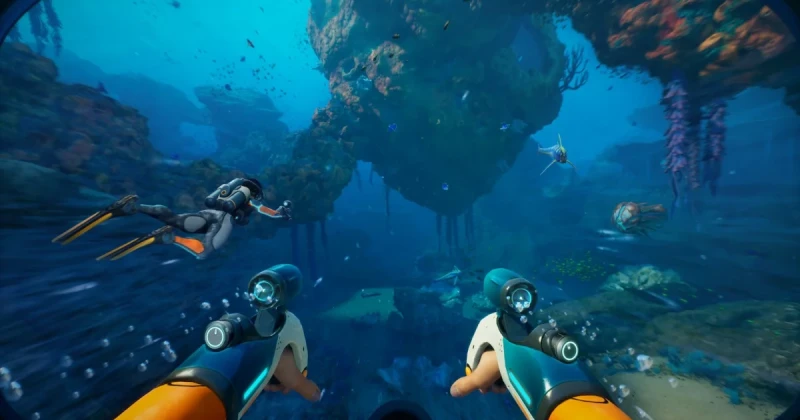
What Is the Subnautica 2 Performance Fix?
Subnautica 2 is an early-access survival adventure from Unknown Worlds Entertainment, published by Krafton, and built in Unreal Engine 5. If your frame rate is dipping below 60 FPS, the fastest fix is usually not a driver miracle — it is lowering five especially expensive settings from Epic to High.
The most effective Subnautica 2 performance fix in 2026 is to keep the game looking sharp while reducing the GPU-heavy options that stress shadows, reflections, volumetrics, and world detail. In many PC builds, moving just five settings from Epic to High can improve smoothness dramatically with only a subtle visual downgrade.
This matters because Subnautica 2 is a beautiful, lighting-heavy open-world survival game. Like Subnautica, Below Zero, Hogwarts Legacy, and Black Myth: Wukong, it can look far worse in motion when frame pacing is unstable than it does with a few sliders lowered. The goal is not to “make it ugly”; it is to eliminate the stutter that ruins exploration, scanning, and base building.
Which Five Settings Should You Turn Down First?
If you want the biggest frame rate gain with the smallest visual loss, start with the settings that tend to hit the GPU hardest in Unreal Engine 5. In most games like this, the biggest wins come from lowering lighting, shadow, and reflection complexity before touching textures.
These are the five settings most worth changing from Epic to High first:
- Global Illumination — heavy on lighting calculations and one of the largest performance costs in UE5.
- Shadows — especially expensive in dense environments and underwater scenes with dynamic lighting.
- Reflections — can add visual polish, but often cost a lot of GPU time for relatively small gains.
- Volumetric Fog / Effects — underwater haze and light scattering can look great, but they are usually frame-rate hungry.
- View Distance / Foliage Detail — important for exploration, but often a better sacrifice than texture quality.
Textures are usually not the first thing to lower unless you have low VRAM, because high-resolution textures mainly affect memory usage rather than raw FPS. If you are on a 6 GB GPU, though, texture memory can still cause hitching, so check your VRAM monitor if you notice sudden drops.
Why these five settings matter more than everything else
The reason these options matter is simple: they control how many expensive effects the GPU must calculate every frame. In a game like Subnautica 2, where water, lighting, particulate effects, and distant terrain are always visible, Epic often pushes much harder than the visual payoff justifies on mid-range cards.
This is also why many players search for a shader stutter fix, nvidia shader compilation, or a general reduce stuttering PC solution. Even if your GPU is strong, one or two overcooked settings can turn a smooth dive into an inconsistent mess.
How to Optimize Subnautica 2 Step by Step
Here is the safest way to tune Subnautica 2 PC settings without overshooting and making the game too blurry or flat. Follow the steps in order so you can see exactly which change gives you the biggest boost.
- Open the graphics menu and set the overall preset to Epic if you want a baseline, then begin lowering individual options one at a time.
- Drop Global Illumination from Epic to High first, then test the game in an outdoor area and in a base interior.
- Lower Shadows to High and check whether motion around rocks, plants, and structures becomes smoother during exploration.
- Change Reflections to High, especially if you are playing on a 1440p or 4K monitor where reflections can become very costly.
- Reduce Volumetric Fog / Effects to High to tame underwater haze and save extra GPU cycles.
- Set View Distance or Foliage Detail to High if you still need more FPS, but leave textures alone unless VRAM is tight.
- Restart the game after big changes if you still see inconsistent frame pacing, then retest in the same area for accurate comparison.
If your system uses an NVIDIA GPU, also make sure the latest driver is installed. Driver updates cannot replace a proper graphics tweak, but they can help with frame pacing, shader caching behavior, and occasional compatibility issues in early-access builds.
Recommended starting points by hardware tier
- Mid-range 1080p: Epic textures, High for the five expensive settings, medium motion blur off.
- 1440p players: High preset with selective Epic textures only if VRAM allows.
- 4K users: High preset, prioritize stable frame pacing over ultra lighting.
- Steam Deck / handheld-style PCs: Favor Medium to High mix and cap FPS for consistency.
What You Gain: Before vs After
Going from Epic to High on the right settings typically produces a much bigger improvement than most players expect. In UE5 games, one or two expensive options can create uneven frame times, which feel like stutter even when the average FPS looks acceptable on paper.
After tuning, you should notice smoother camera movement, less hitching during rapid turns, and steadier performance while swimming through dense areas or looking across large biomes. The game will still look excellent, but the image should feel more responsive and less “sticky” during active play.
That said, do not expect miracles from graphics settings alone. If you are running an older CPU, a GPU with limited VRAM, or a storage drive that is nearly full, you may still need to combine these tweaks with driver updates, background-app cleanup, and a sensible frame cap.
Troubleshooting Common Subnautica 2 Performance Issues
My FPS improved, but the game still stutters
If average FPS rises but the game still hitches, you may be dealing with shader compilation, asset streaming, or background software interference. Close overlays, browser windows, and recording tools, then test again in the same area so you can isolate whether the issue is GPU load or frame-time instability.
The game looks too blurry after lowering settings
That usually means you lowered the wrong options. Keep textures high if you have enough VRAM, and avoid making every slider medium at once. If the image still looks soft, raise view distance or sharpen via in-game post-processing before sacrificing texture quality.
My GPU usage is high but performance is not better
This can happen when the game is power-limited, CPU-limited, or bottlenecked by a specific effect like shadows or reflections. Lowering only one setting may not be enough; the best approach is to reduce the biggest hitters together and then cap FPS to your monitor’s refresh rate.
I have an NVIDIA card and still get shader stutter
Update to the newest driver, allow the game to finish its first load after major changes, and avoid changing graphics settings every few minutes. A proper nvidia shader compilation pass can take time in early-access games, especially after patches or driver updates.
What This Means for Gamers and Early-Access Buyers
The big lesson here is that Subnautica 2 is likely to reward practical tuning more than brute-force hardware upgrades. If you are coming from the original Subnautica or Below Zero, expect a more demanding visual presentation because modern Unreal Engine 5 effects can be far heavier than older engines, especially in large atmospheric scenes.
That is why this kind of optimization guide matters. A well-tuned settings profile can make a mid-range GPU feel like a much more expensive one, and it can help you enjoy the game at launch instead of waiting for a patch cycle. If you are planning to buy the game digitally, keep an eye on TuniGamers for quick key delivery and competitive pricing when you are ready to jump in.
For players deciding whether to buy now or wait, the answer depends on your tolerance for early-access quirks. If you enjoy survival crafting games like Green Hell, The Planet Crafter, or Stranded Deep, and you do not mind making a few manual adjustments, Subnautica 2 should still be a strong pickup. If you want perfect optimization out of the box, waiting for patches may be the smarter move. Either way, grabbing your digital key on TuniGamers is the easiest way to be ready when your system is tuned.
Frequently Asked Questions
What are the best Subnautica 2 settings for more FPS in 2026?
The best first changes are Global Illumination, Shadows, Reflections, Volumetric Fog, and View Distance. Turning these from Epic to High usually delivers the biggest performance boost with the smallest visual sacrifice, especially on mid-range GPUs.
Does Subnautica 2 use Unreal Engine 5?
Yes, Subnautica 2 is built on Unreal Engine 5, which explains why lighting and effects can be so demanding. UE5 features often look excellent, but they can also be expensive, so smart settings tuning is important for stable performance.
Should I lower textures or shadows first in Subnautica 2?
Lower shadows first, not textures, unless you are running out of VRAM. Textures mostly affect memory usage, while shadows and lighting directly affect FPS, so they are usually the better place to start for a frame rate boost.
Why does Subnautica 2 stutter even when FPS is high?
That usually points to frame-time issues, shader compilation, or asset streaming rather than raw GPU weakness. Updating drivers, reducing heavy effects, and giving the game time to build shader caches can all help reduce stuttering on PC.
Is Subnautica 2 worth buying early if my PC is mid-range?
Yes, if you enjoy survival games and are willing to optimize the settings yourself. A mid-range PC can handle it well with a High preset mix, and if you want a digital copy, TuniGamers is a convenient place to check for a game key.
Updated 18 Sep 2026
Related Posts

The Blood of Dawnwalker Armor Proficiency Guide 2026: How to Fix Heavy Armor Penalties
The Blood of Dawnwalker armor proficiency determines when Medium Armor and Heavy Armor stop draining stamina and slowing you down. Here’s how the Swordmastery skill tree works, what to unlock first, and how to avoid costly mistakes.

A game leaves Game Pass: what happens to DLC and saves?
Separate catalogue departure from subscription expiry before deciding what to buy or keep.

Reinstall Windows 11: protect files, activation and BitLocker keys
Prepare recovery without confusing repair, wiping a drive and buying another Windows licence.

Steam Cloud conflicts and Xbox saves: protect your progress
Identify the correct save and verify synchronisation before playing on another device.

Fortnite: identify your Epic account before linking a console
Find the account holding your progress and items before changing a console connection.