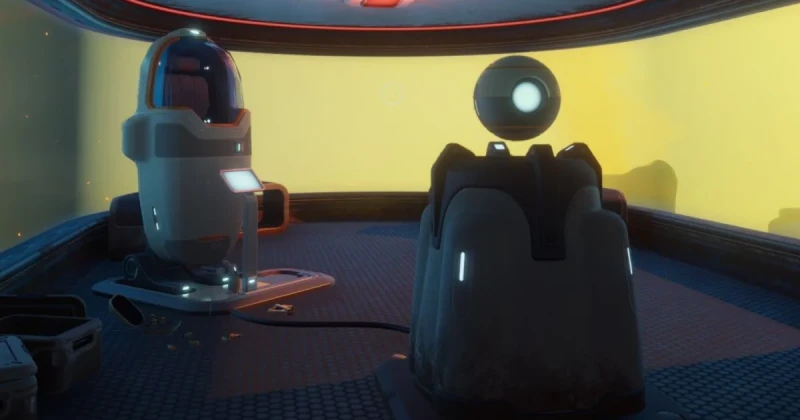
What is the Tadpole Pens investigation in Subnautica 2?
Subnautica 2’s Tadpole Pens investigation is a story objective that asks you to locate Zip’s black box in the Hot Caves, recover the evidence inside, and use it to obtain the door key code. It matters because this step gates access to a key area, and missing one clue can leave even experienced survival-crafting players stuck for a long time.
In practical terms, this is a mid-game exploration puzzle built around navigation, hazard management, and scanning the environment carefully. Developed by Unknown Worlds Entertainment and published by Krafton, Subnautica 2 continues the series’ first-person survival formula on Unreal Engine 5, blending open-water exploration with pressure, temperature, and resource management in a way similar to Subnautica and Below Zero.
If you are searching for the Tadpole Pens guide, the short answer is simple: go to the Hot Caves, find Zip’s black box, collect the data item it contains, then use that evidence to unlock the door code tied to the investigation. The rest of this article explains the route, what to bring, how to avoid getting lost, and what to do if the game does not trigger the next step.
How to find Zip’s black box in the Hot Caves
The fastest way to complete the Zip black box location objective is to treat it like a navigation mission, not a scavenger hunt. The Hot Caves are dangerous because visibility drops, heat damage can build up, and the geography is easy to misread when you are focused on survival. Bring your best mobility tool, enough oxygen, and at least one way to recover health or manage environmental damage.
Follow this route carefully: head toward the Hot Caves region from your current safe base, move deeper into the thermal tunnels, and watch for distinct black-box-style evidence props near the more enclosed passageways. The object you want is tied to Zip’s investigation, so you are looking for a story-specific container rather than a random resource node or loot cache.
- Prepare before entering. Carry extra oxygen, healing items, and a battery backup for any handheld tools.
- Mark your path. Use beacons or landmarks so you can return without wasting time.
- Explore the Hot Caves slowly. Check branching tunnels, ledges, and dead-end chambers where quest items often hide.
- Search for Zip’s black box. Look for a notable evidence container or interactable object tied to the Tadpole Pens objective.
- Collect the contents. Once opened, take the data item or key clue needed to progress the mission.
One of the biggest mistakes players make in survival-crafting games like Subnautica 2, Stranded Deep, and The Forest is rushing through cave content as if it were a standard loot room. In reality, these areas are designed to punish impatience. If you sweep each chamber methodically, you will usually find the objective much faster than if you keep swimming in circles looking for a glowing marker.
Step-by-step: get the door key code from the evidence
Once you have Zip’s black box, the next goal is to convert that clue into the door key code for the Tadpole Pens. This is usually the point where players think the game has bugged out, but the solution is often just buried one layer deeper in the mission log or evidence interface.
The direct answer: after retrieving Zip’s black box from the Hot Caves, open your mission items, logs, or databank and inspect the evidence for the numeric code or the clue that reveals it. That code is the key to the Tadpole Pens door, and you should enter it exactly as shown, with no extra spaces or reordered digits.
- Open your inventory or PDA-style log. Look for mission evidence, not just general notes.
- Inspect Zip’s black box contents. Many story items hide the actual code inside a readable entry.
- Write down the numbers. Survival games often make players forget codes during long trips back.
- Return to the Tadpole Pens door. Interact with the keypad or lock interface.
- Enter the code carefully. Double-check every digit before confirming.
If the door still does not open, the issue is usually one of three things: you have the wrong code, you have not fully examined the evidence item, or the objective has not updated because another nearby trigger is missing. In games built around exploration and layered objectives, such as Subnautica or Outer Wilds, the answer is often in a log entry rather than the world itself.
What to expect in the Tadpole Pens area
The Tadpole Pens are not just a locked room; they are part of Subnautica 2’s larger narrative rhythm, where environmental storytelling and gated exploration work together. Expect a compact but meaningful reward loop: you solve the route, unlock the area, and gain access to the next slice of story content, resources, or research.
Compared with the more open sections of the ocean, this type of mission space typically feels tighter and more deliberate. That design is a strength if you enjoy the investigative side of survival games, because it turns the map into a puzzle. If you mostly play for base building and freeform exploration, the Tadpole Pens may feel like a brief detour, but it is one with clear progression value.
For players coming from Subnautica and Below Zero, the loop should feel familiar: investigate a lead, dive into a hazardous zone, recover story evidence, then unlock a previously inaccessible path. That structure is one reason the series remains one of the best examples of atmospheric survival crafting, alongside games like Grounded and No Man’s Sky in terms of discovery-driven progression.
Troubleshooting common problems with the Tadpole Pens quest
I found the Hot Caves, but Zip’s black box is missing
First, make sure you are in the correct Hot Caves sub-area and not just a neighboring thermal zone. Quest items in survival games often sit in a specific pocket of the cave system, so a nearby chamber may look right while still being the wrong location. Retrace the route more slowly and check for side tunnels, elevation changes, and dead ends.
I collected the black box, but the door code never appeared
Open every relevant tab in your mission log or databank and inspect the item manually. In many games, a code is not auto-displayed until the evidence is fully read. If needed, close and reopen the menu, then revisit the item to force the update. This is the same kind of progression hiccup players run into when trying to reduce stuttering PC issues in complex games: the fix is often a clean reset of the relevant system state.
The Tadpole Pens door won’t accept the code
Confirm that you are entering the digits exactly as shown and not mixing them with another clue from the same questline. If the code is correct, the problem may be that you are interacting with the wrong locked door or an untriggered version of it. Leave the area, reload your save if needed, and return after verifying the objective text.
The quest marker is confusing or absent
Subnautica 2 can rely heavily on environmental clues rather than heavy-handed markers, especially in exploration-heavy story sections. Use your logs, scan the area for distinctive points of interest, and drop beacons if you are navigating a large cave network. That approach is more reliable than waiting for the game to hand-hold every step.
Why this guide matters for survival-crafting fans
The Tadpole Pens objective is a good example of why Subnautica 2 is already drawing attention from fans of the genre. It mixes mystery, pressure, and spatial memory in a way that rewards patient players rather than fast button mashers. If you enjoy the investigation side of survival games, this is the kind of mission that feels satisfying once the logic clicks.
It also reflects the broader appeal of Unknown Worlds’ design philosophy: make the player feel smart for paying attention. That is why the series continues to resonate with players who also enjoy The Forest, Raft, and Outer Wilds. You are not just surviving; you are decoding a world that only reveals itself when you search carefully.
If you are following Subnautica 2 closely in 2026, keep an eye on new updates, story changes, and platform availability. And if you are planning to buy the game or pick up other survival titles later, TuniGamers is a convenient place to grab digital keys with instant delivery. It is also worth checking TuniGamers for other exploration-heavy games if this style of progression is your thing.
Frequently Asked Questions
Where is Zip’s black box in Subnautica 2?
Zip’s black box is located in the Hot Caves as part of the Tadpole Pens investigation. The exact object can be easy to miss because it sits in a specific cave pocket rather than in a wide-open chamber, so search methodically and check side tunnels and enclosed spaces.
How do I get the Tadpole Pens door code?
You get the door code by finding Zip’s black box and reading the evidence or mission data inside it. The code is usually revealed in your log or databank after you inspect the item, so make sure you open the clue fully instead of only picking it up.
What should I bring before going into the Hot Caves?
Bring enough oxygen, healing supplies, and backup power for your tools if you plan to explore safely. A beacon is also useful for navigation, since the cave layout can be confusing and you may need to backtrack after collecting the evidence.
Why won’t the Tadpole Pens door open after I enter the code?
Most of the time, the issue is either the wrong code, an incomplete quest trigger, or the wrong door. Double-check your evidence item, verify the numbers, and reload your save if the objective appears stuck.
Is the Tadpole Pens quest worth doing in Subnautica 2?
Yes, especially if you enjoy story progression, environmental mysteries, and gated exploration. It is one of those quests that deepens the world and leads you into a more interesting part of the game rather than just handing out a reward with no context.
Updated 18 Sep 2026
Related Posts

The Blood of Dawnwalker Armor Proficiency Guide 2026: How to Fix Heavy Armor Penalties
The Blood of Dawnwalker armor proficiency determines when Medium Armor and Heavy Armor stop draining stamina and slowing you down. Here’s how the Swordmastery skill tree works, what to unlock first, and how to avoid costly mistakes.

A game leaves Game Pass: what happens to DLC and saves?
Separate catalogue departure from subscription expiry before deciding what to buy or keep.

Reinstall Windows 11: protect files, activation and BitLocker keys
Prepare recovery without confusing repair, wiping a drive and buying another Windows licence.

Steam Cloud conflicts and Xbox saves: protect your progress
Identify the correct save and verify synchronisation before playing on another device.

Fortnite: identify your Epic account before linking a console
Find the account holding your progress and items before changing a console connection.