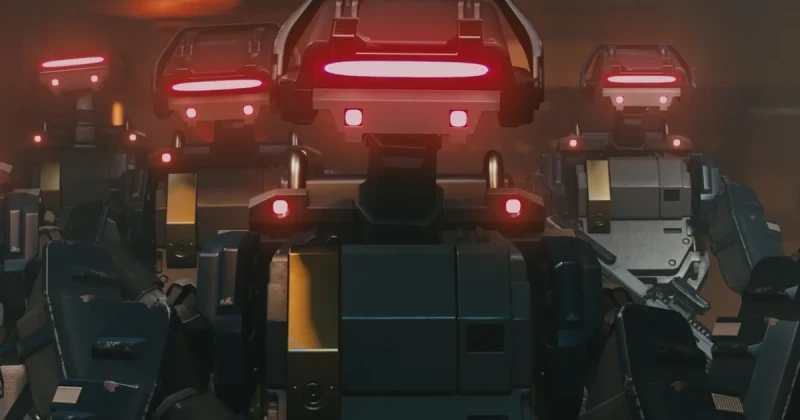
What Is the Terran Armada DLC and How Do You Start It?
Starfield: Terran Armada is a story DLC questline for Bethesda Game Studios’ space RPG, built on the Creation Engine 2 and published by Xbox Game Studios. To start it in 2026, you typically need the DLC installed, a save that has progressed beyond the early intro, and access to a major settled-system hub where the quest trigger can appear.
The fastest way to begin the Terran Armada quest is to load a character that has already completed the opening missions and then check for a new mission marker in a primary city or faction hub. In most cases, Bethesda designs these DLC openings so they feel like a natural extension of the main campaign rather than a separate menu mission, which means story progress matters more than raw playtime.
If your quest log is empty, that does not usually mean the DLC is broken. In Starfield, downloadable story content often waits for the right story state, location visit, or conversation trigger before it appears. That is why many players confuse a delayed unlock with a bug when it is actually a progression check.
How to Unlock Terran Armada in Starfield Step by Step
Although the exact trigger can vary slightly by save file, platform, and patch state, the reliable method is to follow a progression-first approach. Starfield is an open-world action RPG with layered quest flags, so the Terran Armada DLC is most likely to appear only after the game confirms that your character is “ready” for it.
- Install the DLC through your platform library and fully update the game before launching your save.
- Load an existing character rather than starting a fresh game if the DLC description suggests mid-game access.
- Advance the main story past the opening hours, especially if you are still on the tutorial-like early missions.
- Visit a major hub such as New Atlantis, Akila City, Cydonia, or another populated settlement where DLC hooks commonly begin.
- Check your mission menu for a new quest entry, radio-style prompt, or unexplained map marker.
- Speak to named NPCs near faction boards, spaceports, or administrative areas if no marker appears immediately.
For best results, keep a save before entering each major hub so you can reload and test trigger conditions without losing time. That matters in a game as systems-heavy as Starfield, where quest sequencing can depend on seemingly small choices like which planet you visited last or which faction chain you advanced first.
Recommended level, prep, and loadout
For a DLC like Terran Armada, a recommended level in the 25-35 range is a practical target for most players. That gives you enough health, damage, and ship utility to survive tougher encounters without turning the opening missions into a grind. If you are playing on higher difficulty, aim a bit higher.
- Weapons: one reliable ballistic weapon, one energy or particle beam option, and a close-range backup
- Skills: boost pack control, ship shields, persuasion, and at least one combat specialization
- Resources: med packs, trauma packs, ammo reserves, and a few spare digipicks
- Ship prep: improved hull integrity, better shield capacity, and enough cargo to carry mission loot
Why the DLC Might Not Appear: Common Unlock Problems
Many players search for a Starfield DLC not starting fix when the issue is actually one of three things: the content is not installed correctly, the save has not reached the required progression state, or another active quest is blocking the new trigger. This is especially common in Bethesda RPGs, where quest logic is often tied to location and faction variables.
Another important detail is that Creation Engine 2 games can hold quest flags in the background until you travel, sleep, wait, or enter a cell again. That means the DLC may be active even when nothing obvious happens on screen. If you have just installed a large update, restart the game fully before testing again.
Troubleshooting checklist
- Verify installation: confirm the DLC is present in your platform’s add-on or manage-content menu.
- Update the game: make sure you are on the latest 2026 patch, because story DLC often depends on post-launch fixes.
- Swap saves: test an older save that is definitely past the intro sequence.
- Visit a hub twice: leave the area, wait 24 in-game hours, then return to force a trigger refresh.
- Disable conflicting mods: if you use mods, check whether they alter mission starts, cell edits, or NPC behavior.
If you are on PC and the content still will not appear, a clean file check can solve the issue faster than reinstalling the whole game. That is the same logic players use for a shader stutter fix or a reduce stuttering PC problem: verify the foundation first, then troubleshoot the layers around it.
What Terran Armada Means for Starfield Players
From a game-design perspective, a new Starfield DLC questline matters because it gives the universe more purpose beyond exploration. Bethesda Game Studios built Starfield to feel like a vast frontier, but players often want more curated story content to complement the sandbox. A faction-style expansion helps the game feel closer to a living science-fiction epic rather than a museum of planets.
That is also why Terran Armada will be compared to the best content drops in similar RPGs like Mass Effect Legendary Edition, The Outer Worlds, and even the faction-heavy storytelling of The Elder Scrolls V: Skyrim. If the questline is tight, character-driven, and rewards exploration with meaningful choices, it could be one of the strongest reasons to return to Starfield in 2026.
For returning players, the big question is not just whether the DLC exists, but whether it respects your time. If the opening is too obscure, casual players will bounce. If it starts too early, veterans may feel underleveled. The sweet spot is a clearly telegraphed quest hook that rewards a character around mid-game power without forcing a full restart.
Where to Get Starfield Content and Prepare Your Account
If you still need Starfield itself, or you are picking up additional content and upgrades for your library, digital keys are the fastest way to get set up. TuniGamers is a convenient place to check for game keys, especially if you want instant delivery and a clean digital purchase flow.
For players building out their 2026 backlog, it also makes sense to keep an eye on related titles such as The Elder Scrolls V: Skyrim, Mass Effect Legendary Edition, and The Outer Worlds if you want similar RPG pacing while waiting for your next Starfield session. If Terran Armada hooks you back into the Settled Systems, you can grab your copy or related digital game keys on TuniGamers and jump in faster.
Frequently Asked Questions
How do I start the Terran Armada DLC in Starfield?
Install the DLC, update the game, and load a save that has already moved beyond the early tutorial missions. Then visit a major hub like New Atlantis or Akila City and look for a new mission marker, conversation prompt, or quest entry in your log.
What level should I be for Terran Armada?
A level range of 25 to 35 is a safe recommendation for most players, especially on normal difficulty. Lower-level characters can still start the DLC if the game allows it, but combat, ship fights, and resource management will be much harder.
Why is the Terran Armada quest not showing up?
The most common reasons are incomplete story progression, a missing install, or a conflicting mod. In Bethesda RPGs, DLC triggers often need a city visit, a save reload, or a 24-hour in-game wait to refresh quest state.
Can I start the DLC on a new game?
Usually yes if the DLC is designed for early access, but story DLC often feels better on an established character. A mid-game save gives you better gear, more skill points, and a smoother experience when the new questline begins.
Does Terran Armada work with mods?
It depends on the mod. Visual mods are usually fine, but anything that changes mission scripts, NPC behavior, or city cells can interfere with the trigger. If the quest will not start, disable mods temporarily and retest on a clean save.
Where can I buy Starfield digital keys safely?
TuniGamers is a good option if you want a digital purchase with fast delivery. It is especially useful for players who want to keep their library organized and get into the game without waiting for physical shipping.
Read Also:
- GTA 6 Protagonist Details in 2026: What Fans Think Is True
- Dark Souls in 2026: What the May 15 Return Means for Fans
- Best New Games This Week: April 2026 Releases & Deals
Updated 18 Sep 2026
Related Posts

The Blood of Dawnwalker Armor Proficiency Guide 2026: How to Fix Heavy Armor Penalties
The Blood of Dawnwalker armor proficiency determines when Medium Armor and Heavy Armor stop draining stamina and slowing you down. Here’s how the Swordmastery skill tree works, what to unlock first, and how to avoid costly mistakes.

A game leaves Game Pass: what happens to DLC and saves?
Separate catalogue departure from subscription expiry before deciding what to buy or keep.

Reinstall Windows 11: protect files, activation and BitLocker keys
Prepare recovery without confusing repair, wiping a drive and buying another Windows licence.

Steam Cloud conflicts and Xbox saves: protect your progress
Identify the correct save and verify synchronisation before playing on another device.

Fortnite: identify your Epic account before linking a console
Find the account holding your progress and items before changing a console connection.